
(Disclaimer: As an Amazon Associate and Instant Gaming Affiliate, PlayingAround4Now earns from qualifying purchases made through the affiliate links below. Thank you for supporting the site!)
EZcap Game Link RAW Review: Setting Up 4K Capture for Console Streaming
Welcome back to the daily drop! Today, we are taking a quick break from our usual physical game releases to focus on the hardware side of content creation. I recently received the EZcap Game Link RAW (specifically the ezcap333P model) and put it through its paces in my latest setup video. If you are looking to upgrade your streaming rig for the PS5, Xbox Series X, or the new Nintendo Switch 2, this compact device packs a serious punch. Before we dive into the setup, make sure your audio sounds as crisp as your video looks by checking out our gear breakdown in the Best Podcast Microphones 2026: Budget to Studio Quality.
Table of Contents
🌟 Featured Hardware: EZcap Game Link RAW
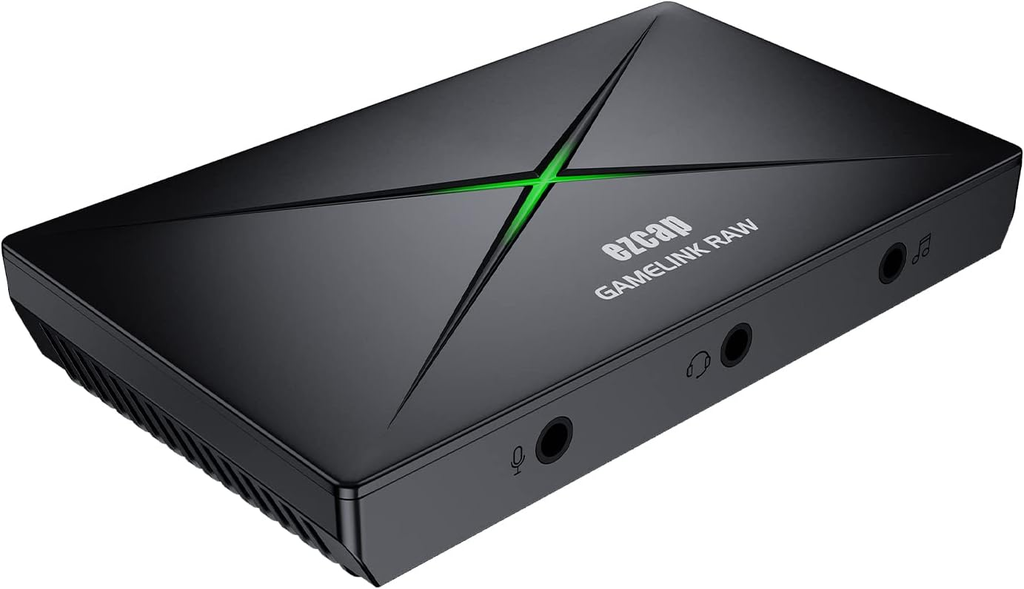
Unboxing the EZcap Game Link RAW The EZcap Game Link RAW is a compact, lightweight capture card designed specifically for recording and streaming high-quality gameplay. Right out of the box, it features a sleek design highlighted by an illuminating ‘X’ on top that indicates the device’s operational status. The package includes the capture card itself, a USB-C to USB-A cable, a USB-A to USB-C adapter, a manual, and a software download link with an activation product code.
Looking at the hardware, the back of the device houses the essential connections: HDMI In, HDMI Out, and a USB-C port. Where this card truly shines for creators is on the front panel. It provides dedicated 3.5mm input ports for a microphone, a headset, and line-in audio. This comprehensive audio mixing control allows you to seamlessly blend game audio, live commentary, and background music from an external mixer without needing additional, bulky audio interfaces.
PC and Console Setup Getting the capture card up and running is incredibly straightforward. It is fully plug-and-play, meaning no manual driver installations are required for Windows or Mac. To connect to a PC, simply plug the USB-C end of the cable into the capture card and the USB-A end into your computer. Next, route your console’s HDMI cable into the HDMI In port, and run a second HDMI cable from the HDMI Out port to your TV or monitor to ensure simultaneous gameplay viewing.
This HDMI loop-out supports 4K60 passthrough with zero lag, delivering an uncompromised visual experience on your main screen. The capture card also supports recording at 4K resolution at 60 frames per second or 1080p resolution at a blisteringly fast 120 frames per second. During my testing with a heavy action combat game on the Nintendo Switch 2, there was no noticeable latency or delay between controller inputs and the on-screen display.
iPad Integration and EZcap Software One of the standout features for mobile creators is that the EZcap Game Link RAW is fully compatible with iPads and tablets via a simple USB connection.
Users can also download the proprietary EZcap Link software and activate it using the provided product code (ensuring you include the dashes). This software features built-in tools that allow you to take photos, create GIFs, and broadcast directly to platforms like Twitch, YouTube, or Amazon without ever leaving the application. A dedicated live streaming mode allows creators to build custom scenes by resizing and layering gameplay footage, webcam feeds, and text. Whether you use their included software or stick to popular platforms like OBS Studio, this is a fantastic, versatile capture card.
👉 Order the ezcap333P 4K HDMI Capture Card on Amazon: https://amzn.to/4dSAsR8
⭐ PlayingAround4Now Deals and Recommends
The following products and promotions are supported by Amazon Creator Connections campaigns and our affiliate partners. Picking up these recommended items directly supports the site!
Retro 8-Bit Pixel Art Skull Graphic Gamer T-Shirt
![Retro 8-Bit Pixel Art Skull Graphic Gamer T-Shirt]](https://playingaround4now.com/wp-content/uploads/2026/10/image-1.png)
If you noticed the shirt I was wearing in today’s video, you can grab it for yourself! This Retro 8-Bit Pixel Art Skull Graphic Gamer T-Shirt is a perfect, comfortable addition to your streaming wardrobe and looks great on camera. 👉 Order the Retro 8-Bit Pixel Art Skull Graphic Gamer T-Shirt on Amazon: https://amzn.to/473LUWl
Nintendo Switch High Speed HDMI Cable
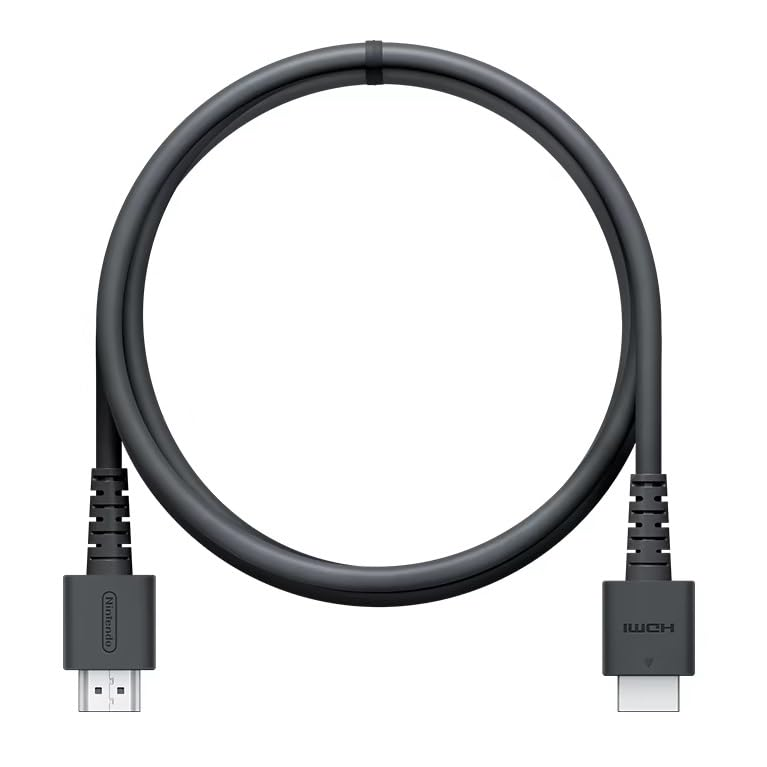
Need a reliable cable for your new capture card setup? I use this high-speed Nintendo Switch HDMI cable to ensure a clean, uninterrupted signal from the console to the capture card and out to my display. 👉 Order the Nintendo Switch HDMI Cable on Amazon: https://amzn.to/4ehE0fU